Vehicles & parameters
tripster routes around your rig’s real dimensions and your comfort limits, not a generic car. Save a vehicle once, then lean on a few parameters to shape every trip.
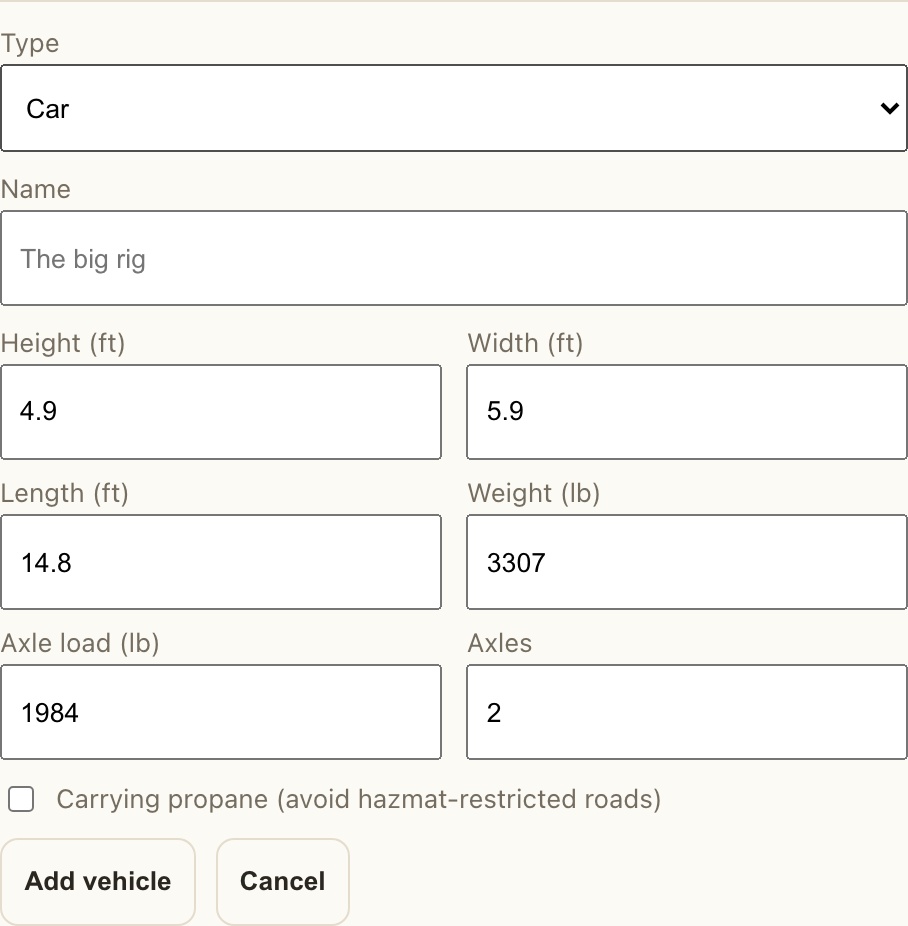
Add a vehicle to your garage Premium
Routing a plain car is always free — you don’t need a vehicle for that. Saving a rig with its real dimensions (to route around low bridges and weight limits) is a premium feature. Free and lapsed members still see any vehicles they’ve saved.
- Open your Garage (from Profile), then choose Add a vehicle.
- Pick a type (Class A, camper van, travel trailer, and so on). tripster seeds typical height, width, length, weight, axle load, and axles for that type — adjust them to your actual numbers.
- Tick Carrying propane if you need to avoid hazmat-restricted roads and tunnels.
- Save it. Your first vehicle becomes the default; add more and set the default whenever you switch rigs.
How the parameters shape a route
Four things steer the plan. Each has a sensible default, and each can be overridden per trip.
- Vehicle
- Its dimensions and weight keep you off roads, bridges, and tunnels you won’t clear. A trip uses your default vehicle unless you pick another for it.
- Days
- How long you have. tripster divides the total route into that many daily legs.
- Max speed
- A cap on how fast you’ll realistically travel. A lower cap means shorter daily legs and more overnight stops; blank means no extra limit beyond the road’s own.
- Stops within
- How far off the route tripster will look for places to stop. Tighter keeps you near the line; wider opens up more options.