Your account & preferences
Your public identity — a handle and a picture — plus the units, look, and defaults that shape every trip. Identity lives on your profile; the rest lives in preferences.
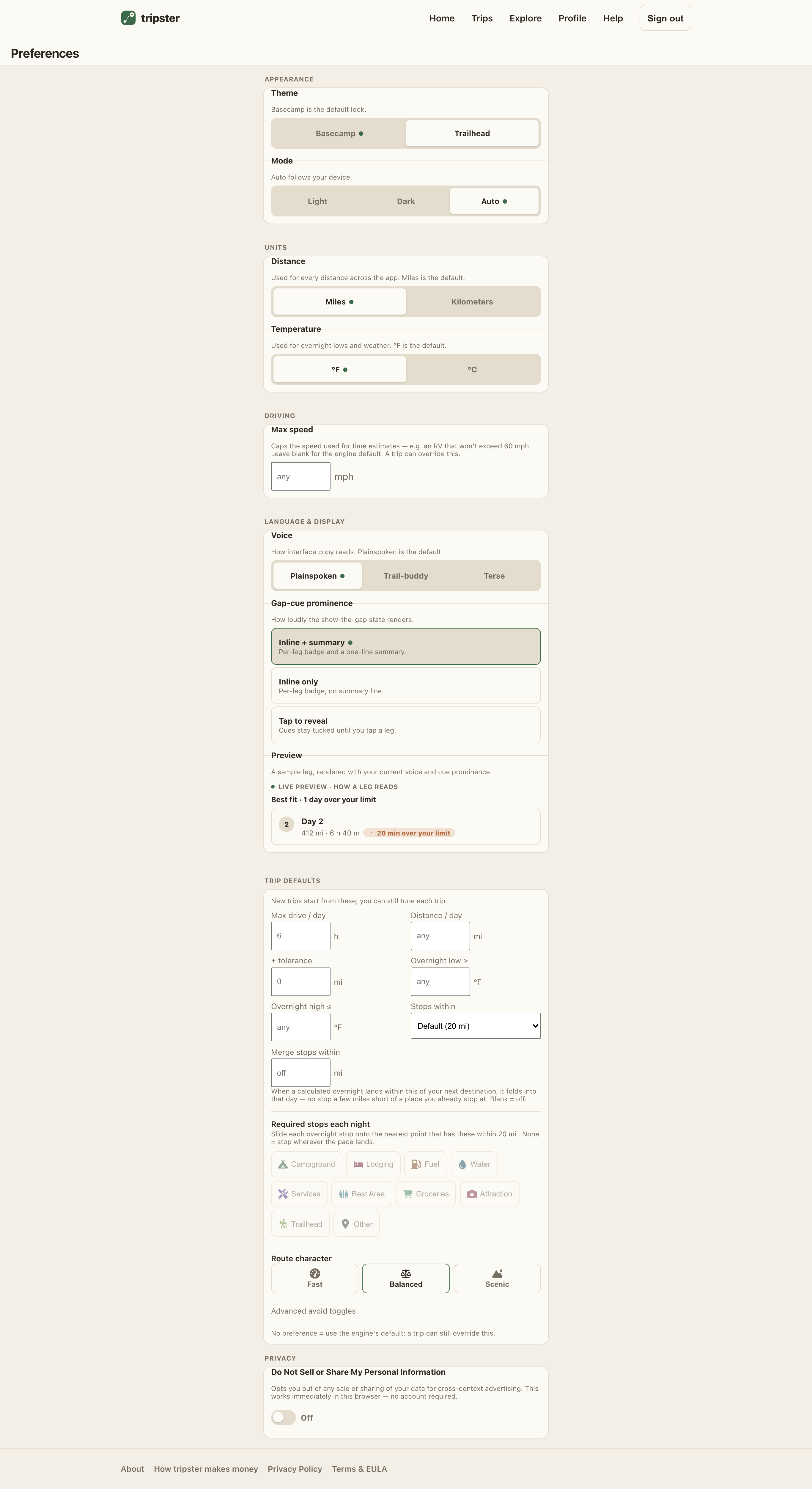
Your handle & picture
- Open Profile.
- Claim a handle — 3–20 characters, lowercase letters, numbers, and underscores. It attributes your public places and reviews as @your-handle instead of your email, and you can change it anytime.
- Add a profile picture with Add a photo — swap it later with Change photo or clear it with Remove.
Preferences
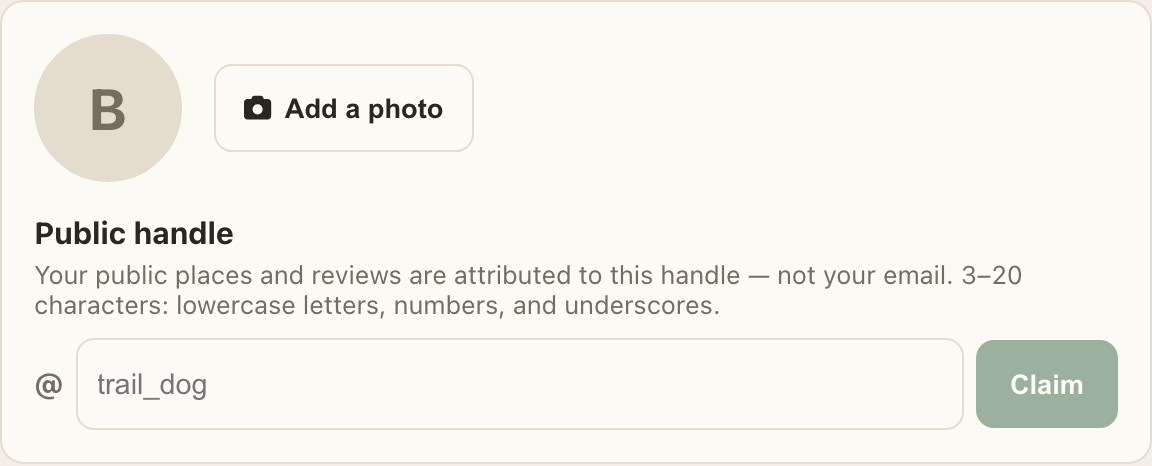
Open Preferences to set how the app looks and the defaults new trips start from:
- Appearance
- Theme (Basecamp or Trailhead) and light / dark / auto.
- Units
- Miles or kilometers and °F or °C — applied everywhere.
- Driving
- A default max-speed cap for time estimates (a trip can still override it).
- Trip defaults
- Max drive per day, distance target, overnight temperature band, how far to look for stops, the stop types you want each night, and route character (avoid tolls / highways / ferries / unpaved). New trips inherit these — see Planning trips and Vehicles & parameters.
- Premium presets Premium
- A couple of defaults are premium: the overnight temperature band and the dispersed / free-camping routing style (biases the route toward free, legal camping). They’re marked in the app and take effect once you’re a member.